Layout Overflow
If the content is larger than the parent component's size, it is drawn overflowing the frame by default. This page explains the default behavior and how to "hide" or "make scrollable" as needed.
Default Behavior (Overflow)
If the child (200x200) is larger than the parent size (150x150), it is drawn beyond the parent's frame by default.
import nuiitivet as nv
import nuiitivet.material as md

# Parent frame (150x150)
md.Card(
    width=150,
    height=150,
    padding=10,
    # Child is larger (200x200) -> Displayed as overflowing
    child=md.Card(
        width=200,
        height=200,
        child=md.Text("Overflow Content"),
    ),,
    style=md.CardStyle.outlined(),
)
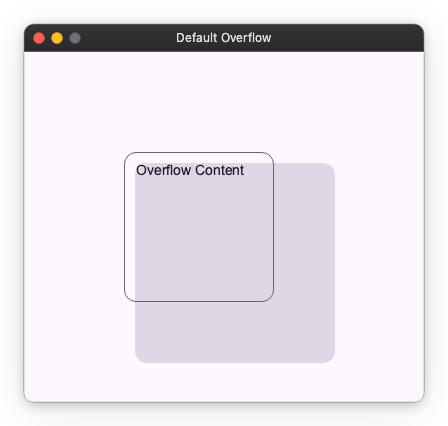
This "do not cut automatically" behavior allows decorations like shadows and badges to be displayed naturally.
Hiding Overflow (Clip)
If you want to cut off (hide) the part sticking out of the frame, apply .modifier(clip()) to the parent.
import nuiitivet as nv
import nuiitivet.material as md
import nuiitivet.modifiers as mod

md.Card(
    width=150,
    height=150,
    padding=10,
    child=md.Card(
        width=200,
        height=200,
        child=md.Text("Clipped Content"),
    ),,
    style=md.CardStyle.outlined(),
).modifier(mod.clip())  # Parts sticking out of the frame are not drawn
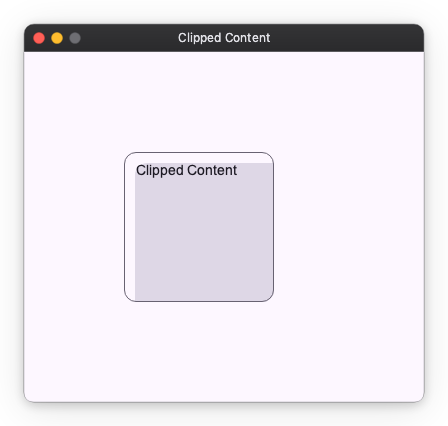
Making Scrollable (Scrollable)
To view the overflowing part by scrolling, use .modifier(scrollable(...)).
This is the easiest way to wrap Column or Row and make it a scrollable area.
import nuiitivet as nv
import nuiitivet.material as md
import nuiitivet.modifiers as mod

# Even with many items, you can scroll within the specified height (300px)
nv.Container(
    height=300,
    child=nv.Column(
        children=[md.Text(f"Item {i}") for i in range(50)],
        gap=8,
        padding=16,
    ).modifier(mod.scrollable(axis="y", show_scrollbar=True)),
)
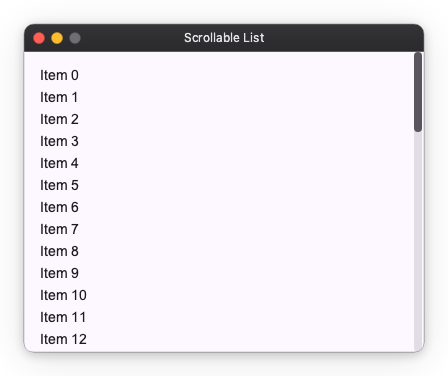
| Argument | Description |
|---|---|
axis |
Scroll direction ("x", "y", "xy", "auto") |
show_scrollbar |
Whether to display scrollbar (True/False) |
Next Steps
- Basic Spacing: layout_spacing.md
- Other Components: layout_extras.md