PageRoute and Animations
While you can push widgets directly to the Navigator, using PageRoute gives you more control over the transition animations and lifecycle of the screen.
Customizing Animations
By default, App applies a standard Material Design transition when navigating between screens. However, you can customize this behavior by providing a TransitionSpec to a PageRoute.
Nuiitivet provides built-in transition effects such as FadeIn, FadeOut, ScaleIn, ScaleOut, SlideInVertically, and SlideOutVertically. You can combine these effects using the | operator to create complex animations.
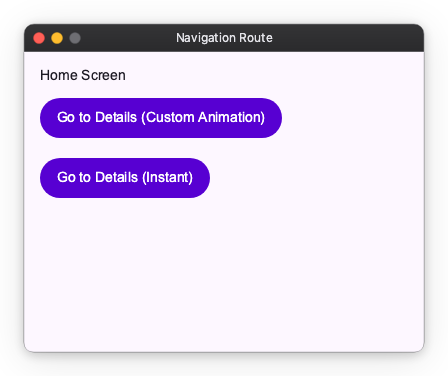
import nuiitivet as nv

from nuiitivet.navigation import Navigator, PageRoute
from nuiitivet.material import (Text, MaterialTransitions, FadeIn, SlideInVertically, FadeOut, SlideOutVertically, Button)
from nuiitivet.layout.column import Column
from nuiitivet.widgeting.widget import ComposableWidget
from nuiitivet.widgets.box import Box
from nuiitivet.material import ButtonStyle

class AnimatedScreen(ComposableWidget):
    def build(self):
        return Box(
            background_color="#F5F7FF",
            width=nv.Sizing.flex(1),
            height=nv.Sizing.flex(1),
            child=Column(
                padding=16,
                gap=12,
                children=[
                    Text("Animated Screen"),
                    Button("Back", on_click=lambda: Navigator.root().pop(), style=ButtonStyle.filled()),
                ],
            ),
        )

def navigate_with_custom_animation():
    # Create a custom transition: Slide up and fade in on enter, slide down and fade out on exit
    custom_transition = MaterialTransitions.page(
        enter=FadeIn() | SlideInVertically(initial_offset_y=50.0),
        exit=FadeOut() | SlideOutVertically(target_offset_y=50.0)
    )

    route = PageRoute(
        builder=lambda: AnimatedScreen(),
        transition_spec=custom_transition
    )
    Navigator.root().push(route)
Disabling Animations
If you want to transition to a new screen instantly without any animation, you can use Transitions.empty().
import nuiitivet as nv

from nuiitivet.navigation import Navigator, PageRoute, Transitions
from nuiitivet.material import Text, Button
from nuiitivet.layout.column import Column
from nuiitivet.widgeting.widget import ComposableWidget
from nuiitivet.widgets.box import Box
from nuiitivet.material import ButtonStyle

class InstantScreen(ComposableWidget):
    def build(self):
        return Box(
            background_color="#F5F7FF",
            width=nv.Sizing.flex(1),
            height=nv.Sizing.flex(1),
            child=Column(
                padding=16,
                gap=12,
                children=[
                    Text("Instant Screen"),
                    Button("Back", on_click=lambda: Navigator.root().pop(), style=ButtonStyle.filled()),
                ],
            ),
        )

def navigate_instantly():
    route = PageRoute(
        builder=lambda: InstantScreen(),
        transition_spec=Transitions.empty()
    )
    Navigator.root().push(route)
Using PageRoute and TransitionSpec allows you to create smooth, visually appealing transitions or optimize for speed by disabling them entirely.