Layout Basics
The basics of screen layout are combinations of "vertical arrangement" and "horizontal arrangement".
This page explains how to use Column and Row, which are the most fundamental and powerful tools.
Before learning complex mechanisms, let's confirm that most screens can be created with just these two.
Column
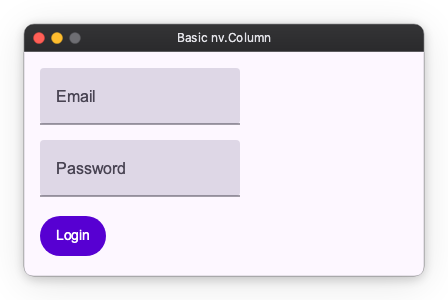
Forms, lists, settings screens, etc., are centered around Column.
import nuiitivet as nv
import nuiitivet.material as md

content = nv.Column(
    children=[
        md.TextField(label="Email"),
        md.TextField(label="Password"),
        md.Button("Login", style=md.ButtonStyle.filled()),
    ],
    gap=16,
    padding=16,
)
gap: Space between child elementspadding: Padding inside the column
Row
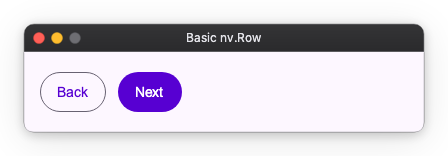
Toolbars, button rows, left-right splits, etc. often use Row.
import nuiitivet as nv
import nuiitivet.material as md

actions = nv.Row(
    children=[
        md.Button("Back", style=md.ButtonStyle.outlined()),
        md.Button("Next", style=md.ButtonStyle.filled()),
    ],
    gap=12,
    padding=16,
)
Combining Row and Column
You can express complex layouts by combining Row and Column. For example, a "Registration Form" layout can be created as follows:
import nuiitivet as nv
import nuiitivet.material as md

# User Registration Form
form = nv.Column(
    children=[
        # Row 1: Name (Horizontal)
        nv.Row(
            children=[
                md.TextField(label="First Name"),
                md.TextField(label="Last Name"),
            ],
            gap=8,
        ),

        # Row 2: Address
        md.TextField(label="Address", width=nv.Sizing.flex(1)),

        # Row 3: Buttons (Horizontal)
        nv.Row(
            children=[
                md.Button("Cancel", style=md.ButtonStyle.text()),
                md.Button("Register", style=md.ButtonStyle.filled()),
            ],
            gap=12,
        ),
    ],
    gap=16,
    padding=16,
    cross_alignment="center",
)
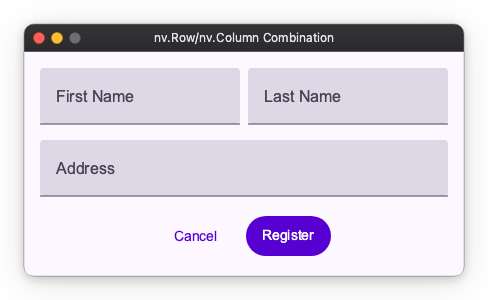
In this way, you construct screens by putting Column inside Row or Row inside Column.
Next Steps
- Adjusting Spacing: layout_spacing.md
- Determining Size: layout_sizing.md
- Determining Alignment: layout_alignment.md