Navigation Overview
Nuiitivet provides a robust navigation system for managing screen transitions and routing within your application. The navigation system is built around the Navigator widget, which manages a stack of Route objects.
The Navigator
The Navigator is a widget that manages a set of child widgets with a stack discipline. It allows you to transition between different screens (or "pages") in your application.
When you create an App, a root Navigator is automatically set up for you. If the content root is a plain Widget (e.g. App(Window(content=HomeScreen))), it is wrapped in an implicit root Navigator. If it is a Navigator (e.g. App(Window(content=lambda: Navigator.intents(...)))), that instance is used as the root. In all cases you reach it from a mounted widget with Navigator.of(self), which returns the nearest enclosing Navigator and falls back to the window's when there is no nested one.
Basic Navigation: Push and Pop
The most common navigation operations are push and pop.
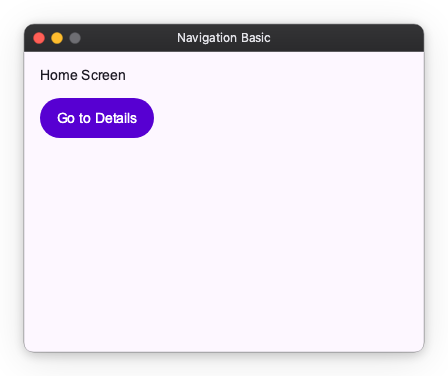
Pushing a New Screen
To navigate to a new screen, you use the push() method. This adds a new route to the top of the navigator's stack, making it the currently visible screen.
import nuiitivet.material as nv


class HomeScreen(nv.ComposableWidget):
    def build(self):
        def navigate_to_details():
            # Push a new widget directly onto the navigation stack
            nv.Navigator.of(self).push(DetailsScreen())

        return nv.Column(
            padding=16,
            gap=12,
            children=[
                nv.Text("Home Screen"),
                nv.Button("Go to Details", on_click=navigate_to_details, style=nv.ButtonStyle.filled()),
            ],
        )
Popping the Current Screen
To return to the previous screen, you use the pop() method. This removes the top route from the navigator's stack, revealing the route beneath it. Let's look at the DetailsScreen that we pushed in the previous example.
import nuiitivet.material as nv
class DetailsScreen(nv.ComposableWidget):
    def build(self):
        def go_back():
            # Pop the current screen off the navigation stack
            nv.Navigator.of(self).pop()

        return nv.Container(
            width="wt",
            height="wt",
            child=nv.Column(
                padding=16,
                gap=12,
                children=[
                    nv.Text("Details Screen"),
                    nv.Button("Back", on_click=go_back, style=nv.ButtonStyle.filled()),
                ],
            ),
        ).modifier(nv.background("#F5F7FF"))
The Stack Structure
The Navigator maintains a stack of routes. When you call push(), the new screen is placed on top of the stack. If you call push() multiple times, the screens are stacked on top of each other.
For example, if you are on Screen A and push Screen B, the stack becomes [Screen A, Screen B]. If you then push Screen C, the stack becomes [Screen A, Screen B, Screen C].
Calling pop() removes the top screen. In the previous example, calling pop() from Screen C will remove it, leaving [Screen A, Screen B], and Screen B will become visible again.
This stack-based approach makes it easy to manage complex navigation flows and ensures that users can always navigate back to where they came from.
Next Steps
- Learn how to customize transitions using Route.
- Discover how to decouple navigation logic using Intents.
- Explore advanced navigation patterns with MaterialNavigator.