Layout Sizing
Element sizes are specified using width and height properties.
Specification methods can be set flexibly, such as "fixed size", "auto size", or "stretch to fit parent size".
Basic Size Specification
There are largely three patterns for size specification.
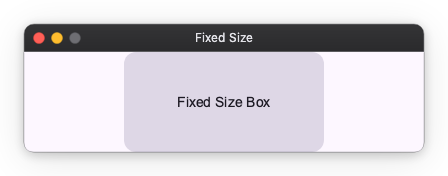
1. Fixed Size
The size is determined by the specified pixel value.
Specify a number like 100.
import nuiitivet as nv
import nuiitivet.material as md

md.Card(
    width=200,   # Fix width to 200px
    height=100,  # Fix height to 100px
    child=md.Text("Fixed Size Box"),
    padding=16,
    alignment="center",
)
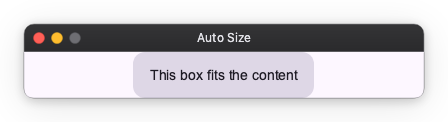
2. Auto Size
The size is determined according to the content.
Specify "auto".
# The box grows to fit the text size inside
md.Card(
    width="auto",
    height="auto",
    child=md.Text("This box fits the content"),
    padding=16,
    alignment="center",
)
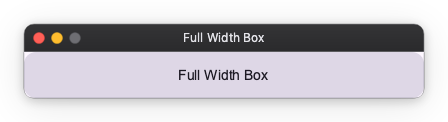
3. Flexible Size (Flex)
Fills the remaining space at the specified ratio.
Specify a string like "100%".
Since it is a ratio, it is not a problem if the total exceeds 100%.
# Expands to full width (100%)
md.Card(
    width="100%",
    child=md.Text("Full Width Box"),
    padding=16,
    alignment="center",
)
Next Steps
- Determining Alignment: layout_alignment.md
- Adjusting Spacing: layout_spacing.md