Overlay
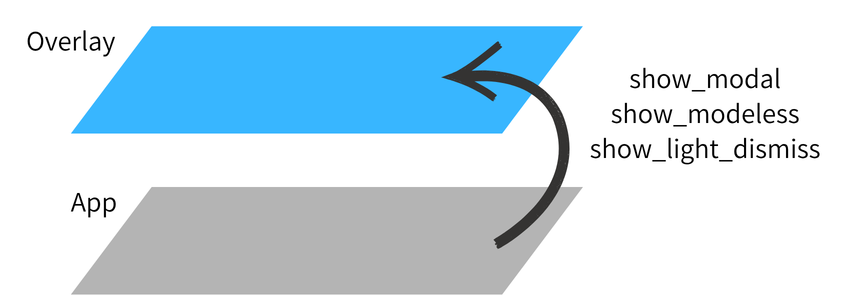
Overlay is the framework's system for displaying content above the main widget tree. It acts as a transparent full-screen layer that sits on top of all other widgets, allowing you to show dialogs, toasts, menus, and other transient UI elements without disturbing the underlying layout.
Role in the Widget Tree
App creates and mounts an Overlay at the root of the widget tree. Content pushed into the overlay is rendered above all other widgets, regardless of their position in the tree.
App
└── Overlay                  ← always on top
    ├── (overlay entries)    ← managed by show_modal / show_modeless / show_light_dismiss
    └── child                ← your main widget tree
Accessing Overlay
Use Overlay.root() to retrieve the globally registered overlay instance. This works from anywhere in the application.
Overlay.of(self) walks up the widget tree and returns the nearest ancestor Overlay. Use this only when you have intentionally nested an Overlay inside the widget tree.
Primitives
Overlay exposes three primitives for displaying content above the widget tree:
| Primitive | Interaction | Outside tap |
|---|---|---|
show_modal |
Blocks background input | Configurable |
show_modeless |
Passes through to background | None |
show_light_dismiss |
Invisible hit layer | Closes overlay |
See Primitives for full documentation and usage examples of each primitive.
Material Design
MaterialOverlay is a subclass that adds Material Design 3-specific shortcuts — dialog(), snackbar(), bottom_sheet(), side_sheet(), and loading(). For Material Design-specific usage, see Material Overlay.