Layout Spacing
Layout spacing is expressed only by "spacing inwards" and "spacing between elements".
This page explains how to use padding and gap, which are simple and highly reusable ways to add spacing.
There is no margin. First, verify that all spacing can be expressed with just these two.
padding (Inner Spacing)
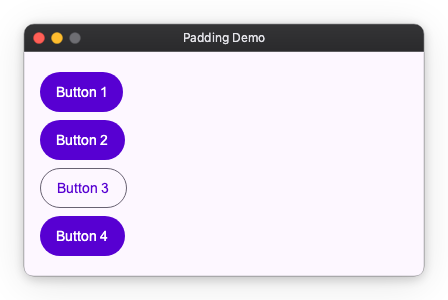
Every widget has padding: space inside the widget's edge, counted in its size.
import nuiitivet.material as nv

# Creates 16px spacing inside the container (spacing between buttons is zero)
content = nv.Column(
    children=[
        nv.Button("Button 1", style=nv.ButtonStyle.filled()),
        nv.Button("Button 2", style=nv.ButtonStyle.filled()),
        nv.Button("Button 3", style=nv.ButtonStyle.outlined()),  # Only this one has different style
        nv.Button("Button 4", style=nv.ButtonStyle.filled()),
    ],
    padding=16,
)
padding value forms
padding accepts three forms:
| Form | Meaning |
|---|---|
int |
Same padding on all four sides |
(h, v) |
h = left and right (horizontal), v = top and bottom (vertical) |
(l, t, r, b) |
left, top, right, bottom individually |
Passing None (or omitting padding) means no padding (0 on all sides).
Every pair in Nuiitivet is horizontal first, then vertical: padding=(16, 8) is
16px left/right and 8px top/bottom, just as alignment and translate take x before
y. CSS writes its padding shorthand the other way round.
import nuiitivet.material as nv

nv.Container(child=..., padding=16)              # 16px on all sides
nv.Container(child=..., padding=(16, 8))         # 16px left/right, 8px top/bottom
nv.Container(child=..., padding=(8, 16, 8, 24))  # left=8, top=16, right=8, bottom=24
gap (Spacing Between Elements)
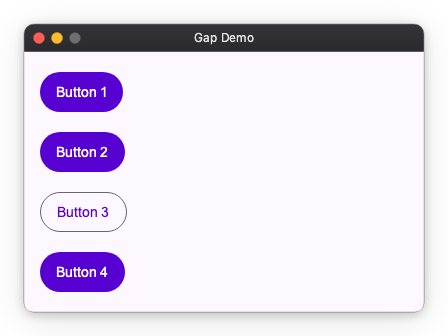
Creates uniform space between child elements. There is no need to set spacing for each child element, and you can adjust the overall spacing in one place.
import nuiitivet.material as nv

# Creates a 12px gap between buttons
content = nv.Column(
    children=[
        nv.Button("Button 1", style=nv.ButtonStyle.filled()),
        nv.Button("Button 2", style=nv.ButtonStyle.filled()),
        nv.Button("Button 3", style=nv.ButtonStyle.outlined()),
        nv.Button("Button 4", style=nv.ButtonStyle.filled()),
    ],
    gap=12,
    padding=16,
)
When you want to change spacing "only here"
padding and gap are convenient for setting settings collectively, but if you want to "separate only here" or "give spacing only to specific elements", use the following two methods.
1. Insert Spacer (Separate Elements)
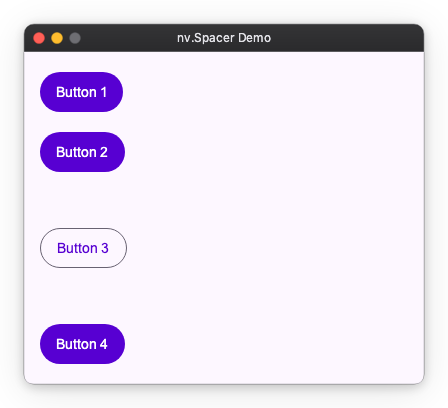
Place a Spacer if you want to widen the interval between adjacent elements only at a specific location.
import nuiitivet.material as nv

# Widen interval only before and after Button 3
content = nv.Column(
    children=[
        nv.Button("Button 1", style=nv.ButtonStyle.filled()),
        nv.Button("Button 2", style=nv.ButtonStyle.filled()),
        nv.Spacer(height=24),  # Widen only here
        nv.Button("Button 3", style=nv.ButtonStyle.outlined()),
        nv.Spacer(height=24),  # Widen only here
        nv.Button("Button 4", style=nv.ButtonStyle.filled()),
    ],
    gap=12,  # Basic interval
    padding=16,
)
2. Set padding on the element itself (Open Space Around)
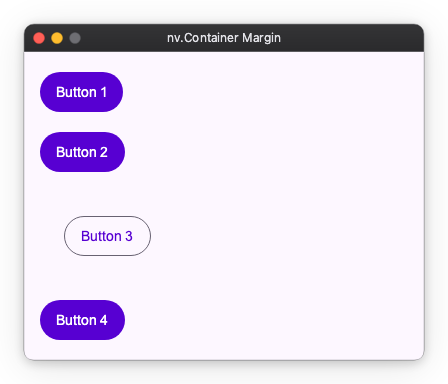
If you want spacing only around a specific element (so-called margin-like usage), set padding on that element.
import nuiitivet.material as nv

# Create spacing only around Button 3 (top, bottom, left, right)
content = nv.Column(
    children=[
        nv.Button("Button 1", style=nv.ButtonStyle.filled()),
        nv.Button("Button 2", style=nv.ButtonStyle.filled()),
        nv.Button("Button 3", style=nv.ButtonStyle.outlined(), padding=24),  # 24px around this element only
        nv.Button("Button 4", style=nv.ButtonStyle.filled()),
    ],
    gap=12,
    padding=16,
)
Gap Property per Component
Depending on the component, the method of setting spacing differs slightly.
| Component | gap property | Description |
|---|---|---|
| Row / Column | gap |
Interval between child elements |
| Flow | main_gap |
Interval within row (same direction) |
cross_gap |
Interval between rows (wrapping direction) | |
| Grid | column_gap |
Interval between columns (horizontal) |
row_gap |
Interval between rows (vertical) |